
Chameleon3 USB3 (Legacy)
The Chameleon®3 camera family combines the ease-of-use of USB3, small size, flexibility of board-level versions, and popular CMOS image sensors into an affordable package. For FLIR cameras with the latest sensors and most advanced feature sets, please refer to Blackfly S and Oryx camera families.
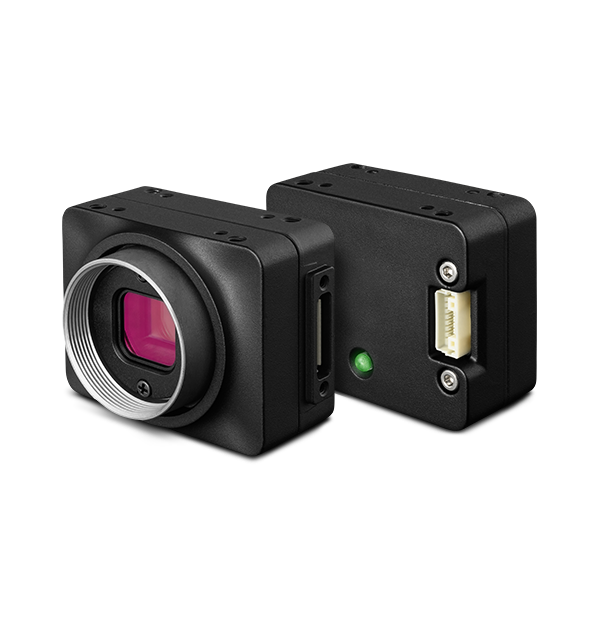
Exposed Sensor: Design & Use Cases
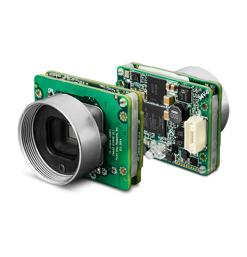
The sensor in S-mount models is open to the camera's electronics, offering greater design flexibility and cost-effectiveness for embedded and compact vision applications. However, these cameras may not be ideal for applications requiring high optical clarity, particularly under magnification or when using collimated light sources.
See Cleaning the imaging surface of your camera for guidance on what to do if dirt or dust particles are introduced to the sensor package window.
Model Finder
Results:
Resources & Support

Troubleshooting
Camera not recognized by Windows operating system and not listed in Device Manager.
Learn more
Troubleshooting
Using Windows Device Manager to determine the camera's software and driver versions
Learn more


Below are assets shared by all models of this product family.
For model-specific assets, select an option in the Model Finder above.
You must be logged in to download software or firmware. Please sign in or create an account here.


Below are assets shared by all models of this product family.
For model-specific assets, select an option in the Model Finder above.


Contact Support
Your question may be answered in one of our 300+ Knowledge Base articles. Visit our Support Center and search for your product or the topic you have a question about.
Check out our Community Forum for answers and discussion.
To submit a support ticket, visit our Technical Support Center, or call us at +1-604-242-9937 (select option 2).
To request an RMA, please complete our Return and Repair Request Form.
Related Products
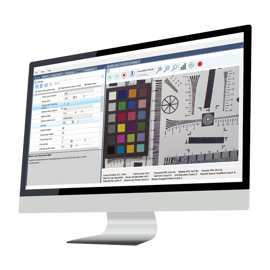
Spinnaker SDK
Teledyne FLIR IIS Image Acquisition and Control Libraries for Machine vision
- Expedite vision system evaluation and effortless design-in for machine vision developers
- Supports highly robust USB3 Vision and GigE Vision framework
- Supports 2D Area scan cameras from Teledyne IIS, DALSA & Lumenera
FlyCapture SDK (Legacy)
Legacy FLIR IIS Image Acquisition and Control Libraries
- Supports legacy FireWire, USB, and GigE products with IIDC 1.32 control and status registers