
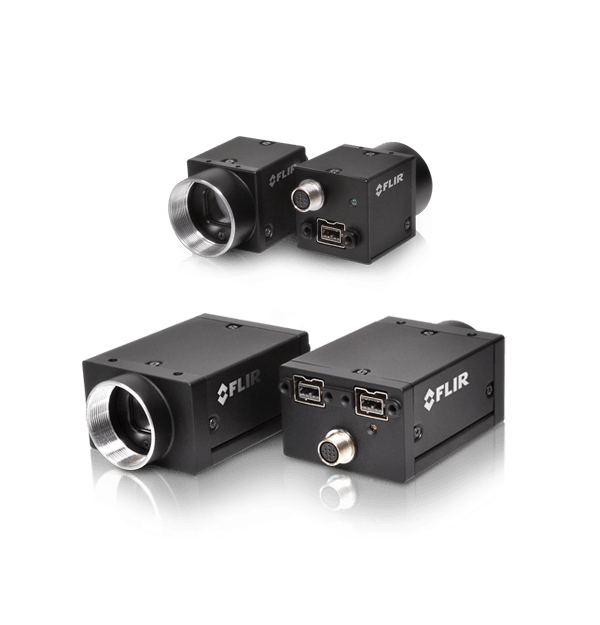
Telecamere FireWire
Si avvicina il termine per la cessazione della produzione di videocamere FireWire FLIR per sistemi di visione. L'ultima data utile per ordinare queste videocamere e gli accessori FireWire sarà il 31 dicembre 2019. Per le videocamere FLIR con i sensori più recenti e le funzionalità più avanzate, fare riferimento alle videocamere GigE, 10GigE e USB3. Ti serve aiuto per trovare un pezzo di ricambio per la tua videocamera FireWire? Il nostro team vendite internazionale è sempre a disposizione per assistenza. Clicca sul pulsante "Richiedi informazioni" o chiamaci al numero di telefono indicato al fondo della pagina.
Resources & Support

Troubleshooting
My laptop's IEEE-1394 port or PCMCIA card doesn’t supply power to my camera
Per saperne di più
Troubleshooting
Image capture freezes with a FireWire camera after a period of successful image capture
Per saperne di più
Technical Guidance
Avoiding dropped or missed images in FireWire cameras using FlyCapture1
Per saperne di più
Troubleshooting
Performance of 1394 devices may decrease after installing Windows Vista or Windows XP SP2 or SP3
Per saperne di più
Technical Guidance
Firewall warning popups appear if all interfaces are enabled, even if not all interfaces are in use
Read the Story
Technical Guidance
Maximum frame rate possible in asynchronous (external trigger) mode
Per saperne di piùBelow are assets shared by all models of this product family.
For model-specific assets, select an option in the Model Finder above.
You must be logged in to download software or firmware. Please sign in or create an account here.

FlyCapture2 SDK
Below are assets shared by all models of this product family.
For model-specific assets, select an option in the Model Finder above.

Dragonfly2 Datasheet
Flea2 FireWire Datasheet
Flea3 FireWire Datasheet
Grasshopper Datasheet
Grasshopper Express Datasheet
Grasshopper2 FireWire Datasheet

Dragonfly2 Getting Started Manual
FL3-FW Getting Started
Flea2 Getting Started Manual
GRAS Getting Started
Contact Support
Your question may be answered in one of our 300+ Knowledge Base articles. Visit our Support Center and search for your product or the topic you have a question about.
Check out our Community Forum for answers and discussion.
To submit a support ticket, visit our Technical Support Center, or call us at +1-604-242-9937 (select option 2).
To request an RMA, please complete our Return and Repair Request Form.