
Cart

Added to cart

Go to cart

Your order qualifies for free 2-day shipping and easy returns

Triclops_SDK

Model: Triclops_SDK
product image

Discontinued
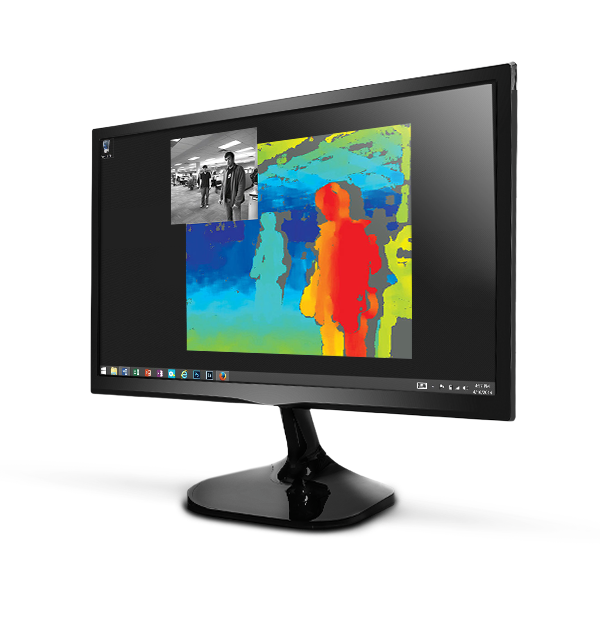
Il kit di sviluppo software Triclops™ è incluso in tutti i prodotti IEEE-1394 Stereo Vision FLIR e viene utilizzato per fornire immagini con intervallo di profondità in tempo reale grazie alla tecnologia di visione stereoscopica.


icon-check-inspection-tglBlue.png  

Please give us your feedback!

Take our Software Experience Survey

Resources & Support

Technical Guidance

How to determine and interpret the Bayer Tile pixel format of a camera

Per saperne di più

Technical Guidance

Machine Vision Software and Firmware Version Numbering Systems

Per saperne di più

Article

Teledyne FLIR Warranty Information

Per saperne di più

Technical Guidance

Live Streaming using DirectShow

Per saperne di più

Technical Guidance

Recommended or required Windows Service Packs and Hotfixes

Per saperne di più

Technical Guidance

What open source packages are in Teledyne FLIR products?

Per saperne di più

System Requirements

Removing the IR filter from a color camera

Per saperne di più

Technical Guidance

When does a change to a camera setting take effect?

Per saperne di più

Technical Guidance

Understanding YUV data formats

Per saperne di più

System Requirements

Microsoft Windows Driver Signing Requirements

Per saperne di più

You must be logged in to download software or firmware. Please sign in or create an account here.

Triclops SDK 4.0 for Windows

Software Download

Last Updated: aprile 04, 2019

Version: 4.0.3.4

Download

Triclops SDK 4.0 for Linux

Software Download

Last Updated: aprile 04, 2019

Version: 4.0.3.4

Download

FlyCapture SDK 2.10 for Linux

Software Download

Version: 2.10.3.266

Download

Release Notes for the Triclops SDK

Release Notes

Download

Contact Support

Your question may be answered in one of our 300+ Knowledge Base articles. Visit our Support Center and search for your product or the topic you have a question about.

Check out our Community Forum for answers and discussion.

To submit a support ticket, visit our Technical Support Center, or call us at +1-604-242-9937 (select option 2).

To request an RMA, please complete our Return and Repair Request Form.